
Proud Platform Partner
A plug-and-play system that drops into your Sierra Interactive account. Pre-built smart filters, action plans, behavioral automations, and tagging. Installed and ready in less than 24 hours, then tuned to how your team works.
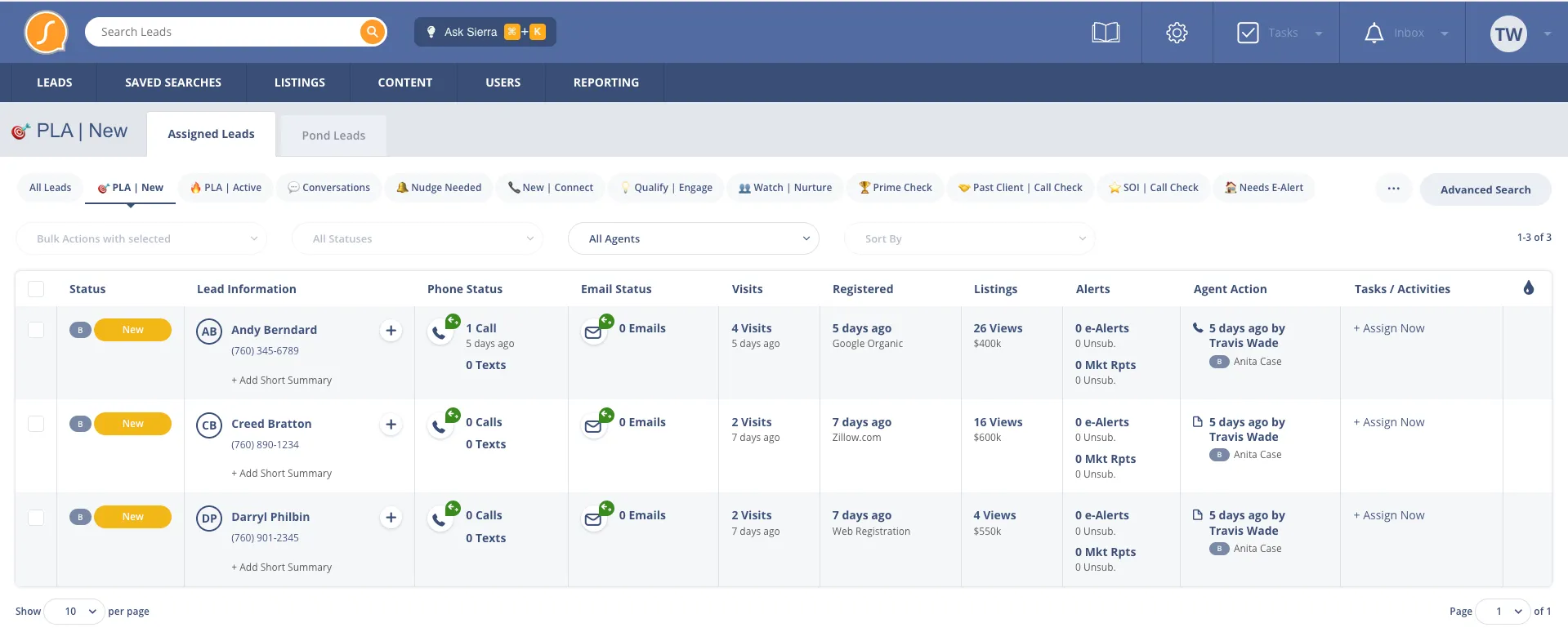
Built by Sierra Interactive's most active partner

See It In Action
A quick walkthrough of how Sierra users streamline follow-up and organize their pipeline with BluPrint.
What You Get
We deploy a complete operating system into your Sierra account. Here's what's inside.
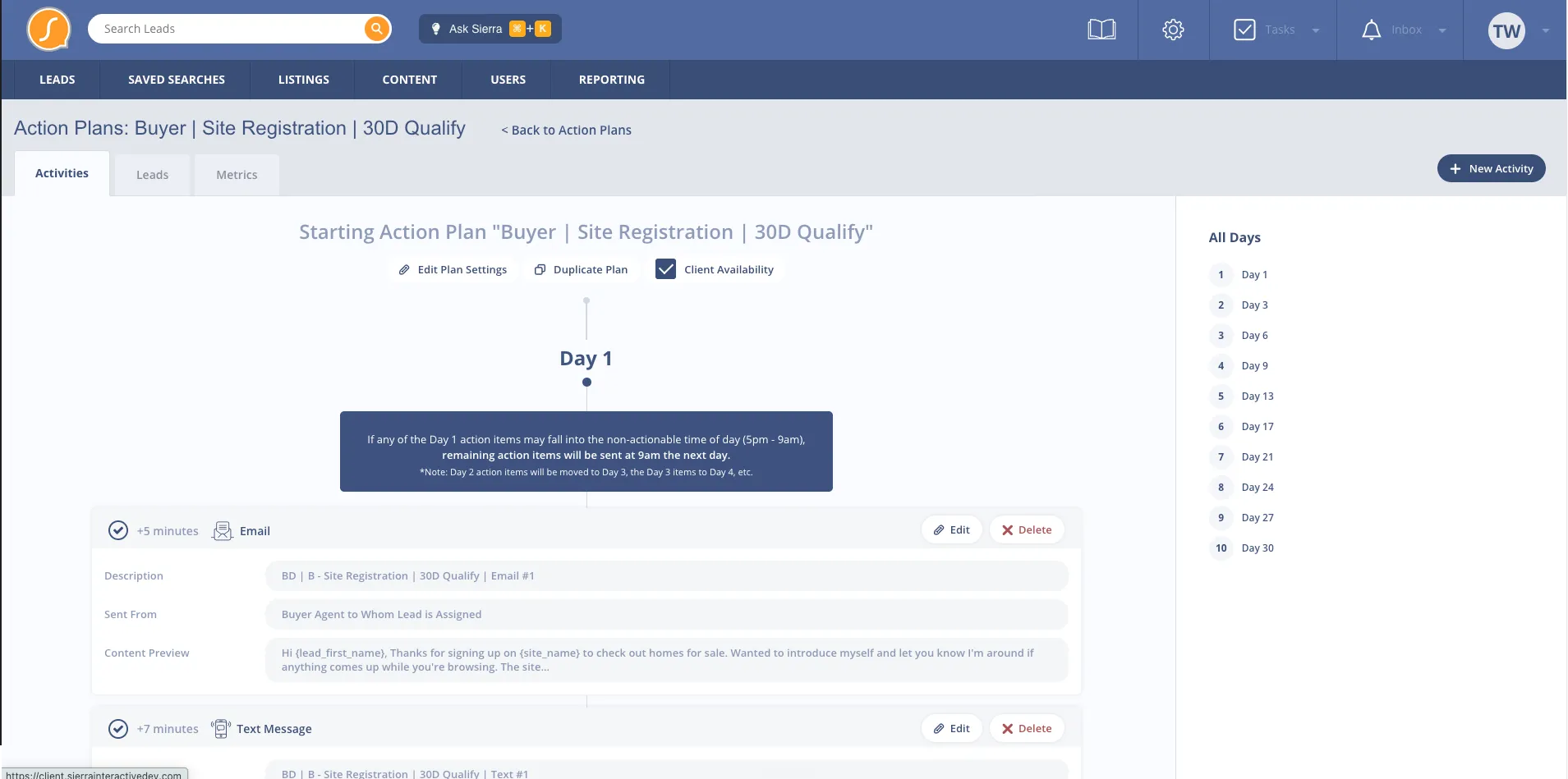
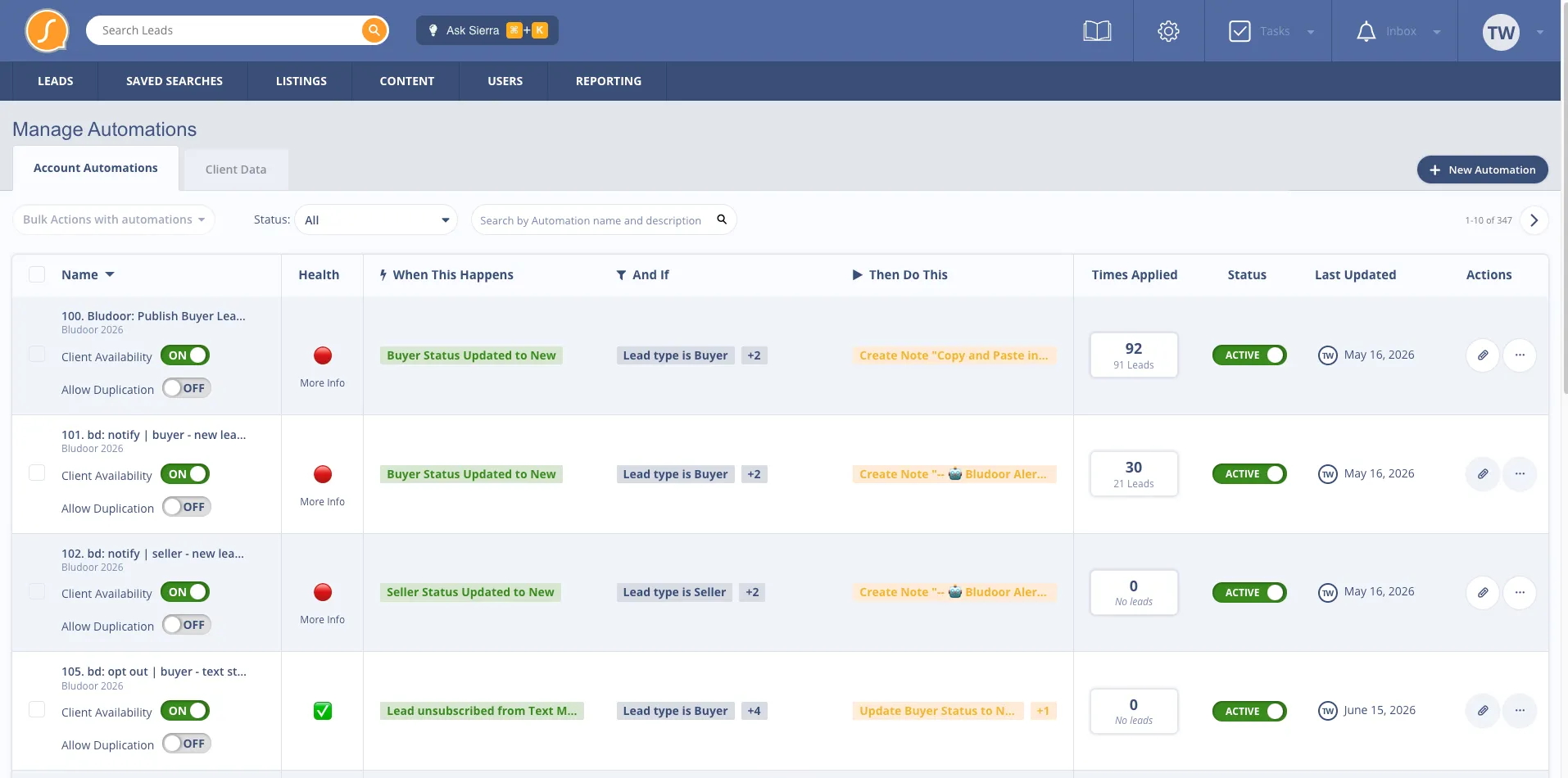
Behavioral Automations
Most Sierra setups run on basic time-based drip campaigns. Bludoor builds automations triggered by what leads actually do: site visits, property saves, alert engagement, and response patterns. The system reacts to real behavior, so your follow-up is always timely and relevant.
How It Works
Plug-and-play install. Hands-on training. Ongoing support.
01
Less than 24 hours from kickoff. We deploy the complete Bludoor system into your Sierra Interactive account: smart filters, action plans, automations, tags, templates. No audits, no waiting.
02
We onboard your agents and admins on how the new system works, what each filter and plan does, and how to use them day to day. Live training sessions and documentation included.
03
After launch, we tune the system based on how your team actually uses it. Ongoing support, refinements, and updates as Sierra evolves and best practices shift.
BlooIQ Dashboard
Your Bludoor build comes with the BlooIQ Dashboard. Lead status movement, conversation rates, database health, all in one place, updated in real time.
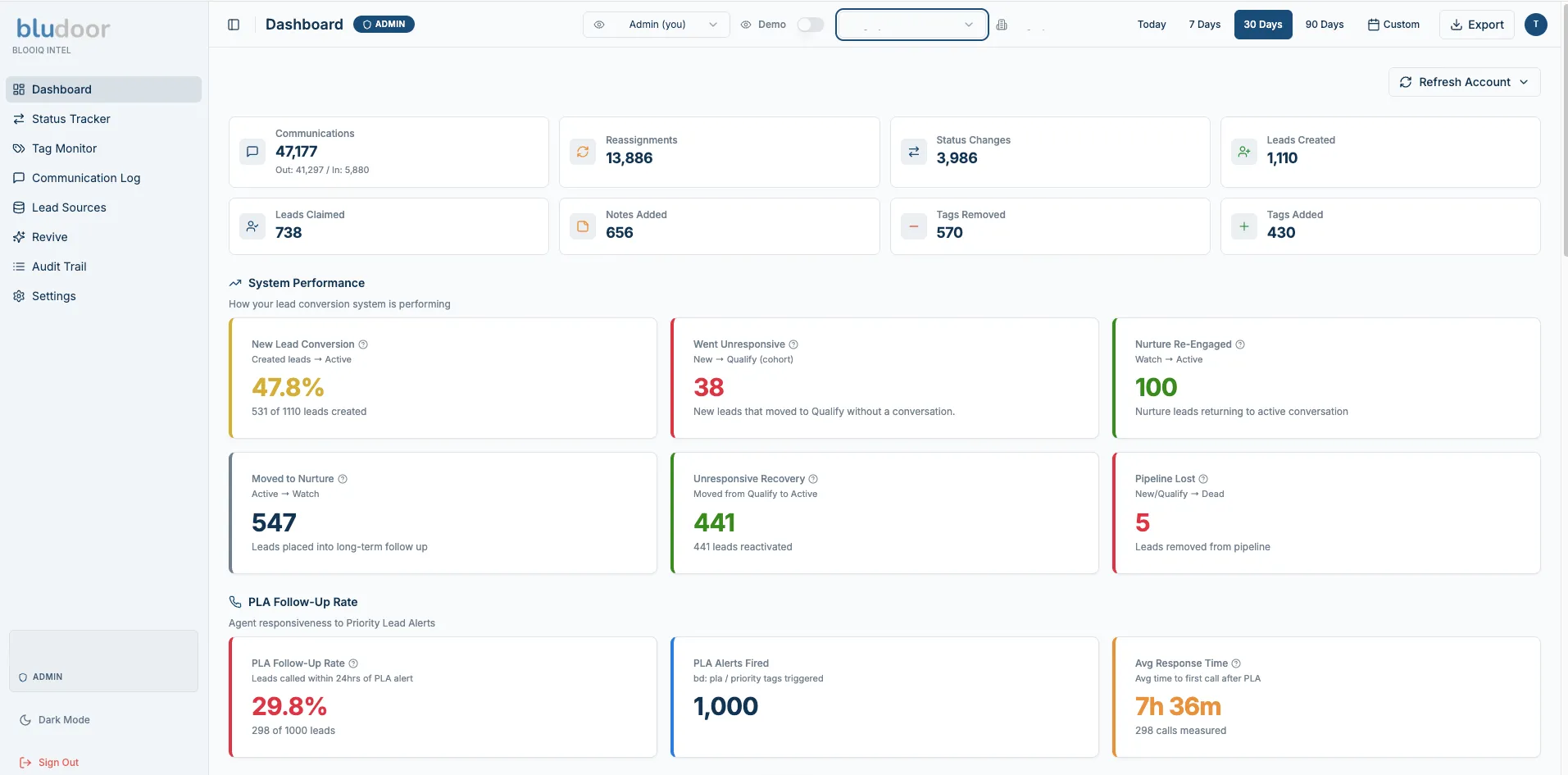
Most CRMs hand you raw data and leave you to figure out what it means. The BlooIQ Dashboard does the work for you. It shows what changed this period, what needs attention, and what is running healthy.
Every metric is in plain language. New lead conversion is healthy or it needs attention. Nurture is re-engaging or it is stalling. Communication is active or it has gone quiet. You stop guessing and start running your business on what the data is telling you.
Built for team leads, brokers, and admins who need to see how their database is performing without spending hours stitching reports together.
Pricing
Get a complete Sierra Interactive setup as a one-time install, or have the Bludoor team manage your system as you grow.
Plus your BluPrint Foundation investment.
Bundle discount available.Add BlooIQ Landing Pages to your BluPrint Manager subscription at a discounted rate. Talk to us about bundle pricing on a discovery call.
Every Bludoor build includes the Bludoor resource library.
SOPs, training documentation, playbooks, and updates as Sierra evolves. We stay involved long after launch.
Add-ons
Optional add-ons available with either plan.
$149/mo standalone
Included with BluPrint Manager.
The Chatbot, Lead Intelligence, and the BlooIQ Dashboard, one price, delivered inside Sierra Interactive.
See Pricing$249 one-time
Also available as an add-on with BluPrint Foundation
Pricing based on database size. Turn your dormant database into active opportunities with strategic re-engagement campaigns.
Integration Support
Your Sierra setup connects with the tools you already use.
Real agents. Real results.
What 500+ Sierra teams say about working with Bludoor.
BluPrint FAQ
The questions teams ask before they hand us the keys to their Sierra Interactive account.
How the system works
Every lead has exactly one owner at any given moment. The system runs in three clear lanes, so there's never confusion over whose turn it is to make the next move.
Automated lead flow. Every lead sorts into the right bucket on its own, based on behavior and how it's communicating. Your agents are protected from data overload because they only take over at the Active stage, which is exactly where the real qualifying conversations happen.
Lead engagement & nurturing
They stay warm automatically, without draining your agents' time. Tag a lead with their buying window and they route into a matched long-term nurture track.
To keep your agents out of the noise, the system scales how sensitive its alerts are. For a 3 to 6 month buyer, triggers are sensitive so an agent can jump in early. For a 12+ month buyer, it waits for a much stronger signal of intent before alerting anyone, keeping your team's focus where it counts.
Every new lead enters a pre-mapped 90-day lifecycle that blends automation and human follow-up.
Speed-to-lead & daily productivity
Instantly, and from two directions at once. The moment a lead shows any of the six core buying signals (returning to the site, saving a property, viewing multiple listings, requesting info, clicking listing alerts, or requesting a showing), two things happen within seconds.
Nobody has to sit and watch a dashboard for it to work.
Yes, because their day is already built for them. Smart filters stack their leads in strict priority order, so they just work the list from the top down.
The system includes 11 specialized filters built to catch what human memory forgets. From orphaned buyers missing property alerts to leads missing an action plan entirely, it surfaces pipeline gaps automatically, so your leadership team doesn't have to police them by hand.
Getting started
The install is plug-and-play. You give us access to your Sierra account, we deploy our pre-built system directly into it, usually in under 24 hours. There's no migration and nothing for your team to install. Once it's live, we walk your agents through the new filters, action plans, and tags so they're comfortable from day one.
No. We build alongside what you already have, not on top of it. Nothing gets deleted or overwritten without your sign-off. Before we deploy, we review your current Smart Plans, tags, and routing so the system layers in cleanly. If something you're running is redundant or working against you, we'll flag it and let you make the call. You stay in control of your account the whole way through.
Absolutely. The templates are yours to edit, so swap in your voice, your market, and your offers. The automation logic lives in the action plans and triggers underneath, so changing the words in a text or email won't break the chain. We'll show your team exactly what's safe to edit and what to leave alone, so you can make it sound like you with full confidence.
It doesn't interfere with any of them. If anything, it helps. We build Sierra into your command center and connect those tools into it, so the activity they generate actually gets used instead of sitting in separate dashboards. Your team gets the full value of every tool you're already paying for, all working together inside Sierra.
Book a free discovery call. We'll walk through your current Sierra setup and what's possible.